











For personal, non-commercial projects only (portfolios, personal blogs, hobby projects).
About
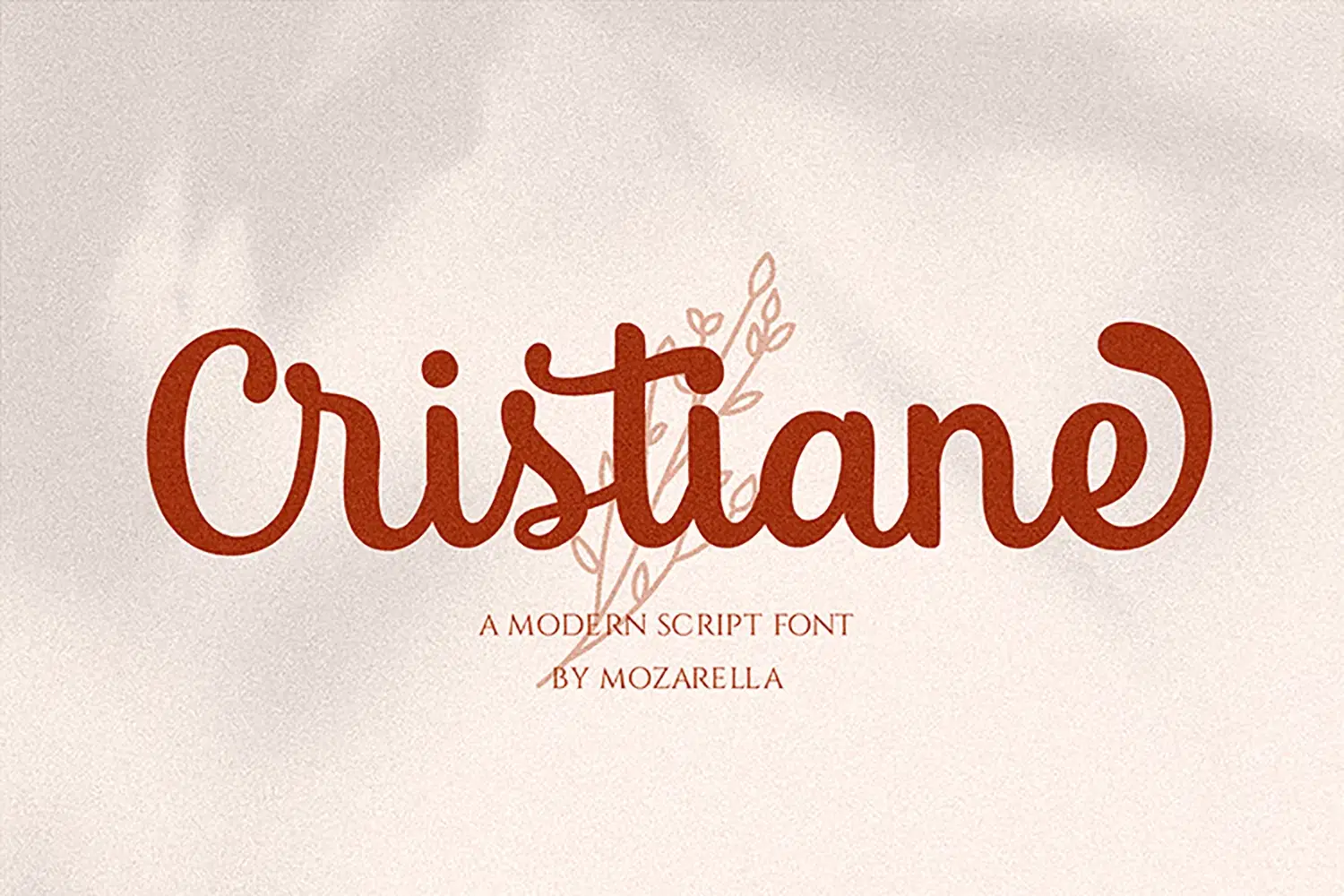
Introducing Cristiane, the bold and stylish script font that brings a touch of elegance to your festive designs. Perfect for themes like Christmas, Easter, Thanksgiving, and beyond, this font enhances your projects with its striking bold script.
Whether you're crafting for Cricut, embroidery, or seasonal celebrations, Cristiane adds a unique flair to your creations.
Elevate your design game with Cristiane, ideal for creating eye-catching fashion posters, engaging magazine layouts, and stunning banners. Its bold script style makes it a versatile choice for advertising and promotional materials, ensuring your message stands out with sophistication and charm.
With PUA Encoded features, Cristiane offers seamless access to a variety of alternate characters, making customization effortless. Embrace the bold elegance of Cristiane and let your creative projects shine with this dynamic and versatile script font.
What’s Included:
- OTF & TTF
- Works on PC & Mac
- Easy to use ( Installations )
- Easy Convert to Webfont
- Compatibility with Windows, Apple, Linux, Cricut, Silhouette, and Other cutting machines
Thank you.
ENJOY it :)
Shop confidently with Shuppi
If your download isn’t what was promised, we’ll make it right. Eligible purchases can be refunded within fourteen calendar days when listings mislead, files fail, or duplicate checkouts happen.
- Listings must match what you receive—no surprises.
- Corrupted files or technical issues? Request a quick fix or refund.
- Duplicate purchases are covered without the hassle.