
Fungi - botanical illustrations AI Crafted Magnolia
















Personal, non-commercial projects
About
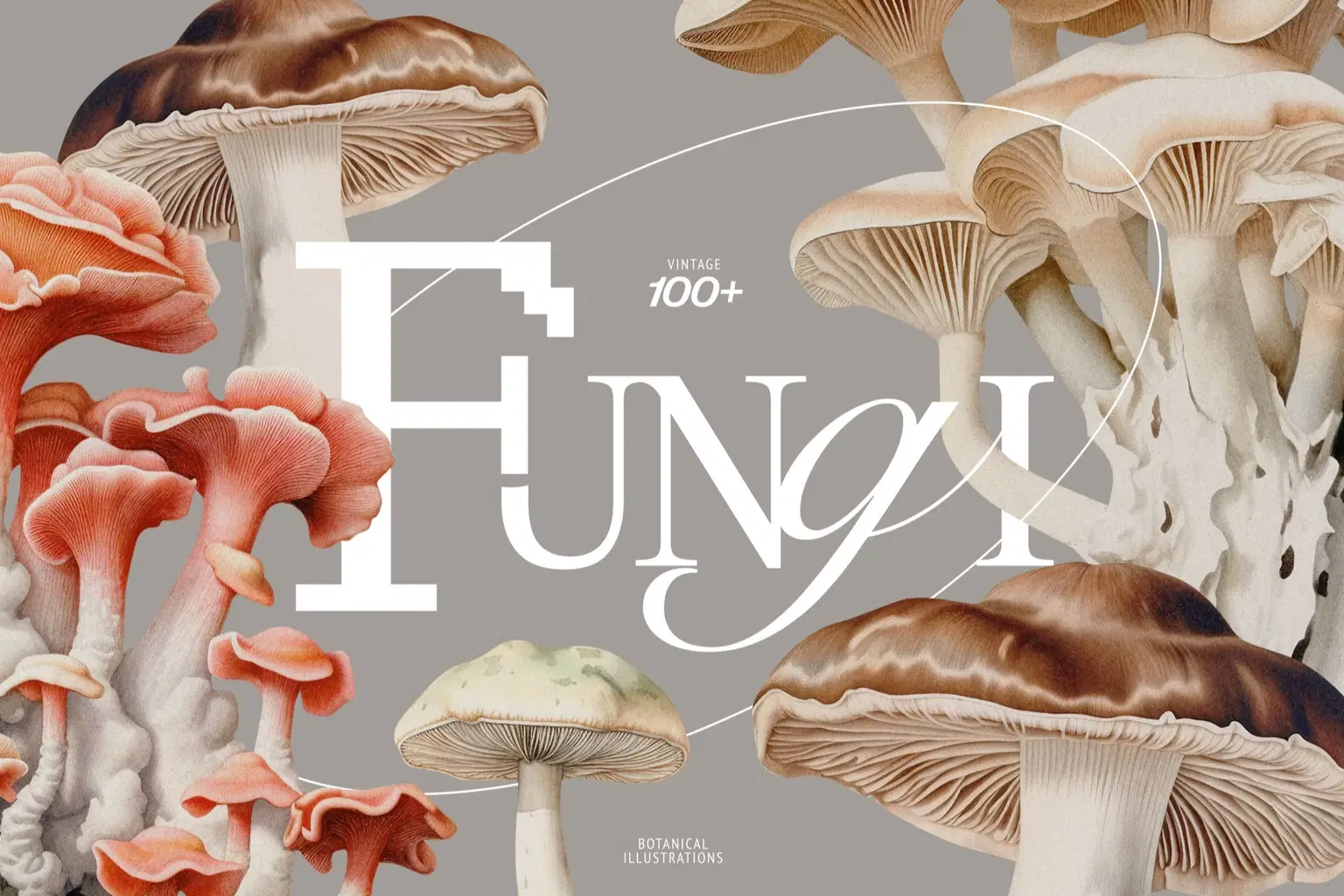
Discover a captivating collection of vintage botanical illustrations featuring enchanting mushrooms.
Crafted with meticulous detail and inspired by the elegance of old artwork, these illustrations bring together tradition and innovation.
Each image is carefully isolated with a transparent background, perfect for creative projects like branding, social networks design and for trendy acid posters.
Elevate your art collection with these timeless botanical images that capture the diverse beauty of mushrooms.
Bundle includes:
3 seamless patterns (5000x5000 px) PNG, PAT
102 unique mushroom (about 2751 × 2795 px, transparent background, 300 dpi) PNG
20 unique backgrounds (3712 × 4928 px, 300 dpi) JPG
Need assistance? I'm always happy to help! → aicraftedmagnolia@gmail.com
Shop confidently with Shuppi
If your download isn’t what was promised, we’ll make it right. Eligible purchases can be refunded within fourteen calendar days when listings mislead, files fail, or duplicate checkouts happen.
- Listings must match what you receive—no surprises.
- Corrupted files or technical issues? Request a quick fix or refund.
- Duplicate purchases are covered without the hassle.
Product Specs
Tags
Frequently Asked Questions
You May Also Like

Magnolia - botanical illustrations
AI Crafted Magnolia
Vector Ink Sketch FX Photoshop Action
 studio retouch
Stipple Collection Photoshop Actions
studio retouch
Illustrations of Fruits and Berries
AI Crafted Magnolia
Peony - watercolor illustrations
AI Crafted Magnolia
Illustrator Craftsman Linocut Brushes
 Brushapes Studio